

“Before this, every prompt was a fresh start. Results were inconsistent and hard to scale. Now I reuse what works and get predictable outputs every time. It completely changed how I use AI in my workflow.”

“This really clicked for me. I was getting decent results, but they were inconsistent. Now I reuse structured prompts with variables, and everything works far more reliably.”

“Working with multiple clients means switching contexts constantly. AI Productivity Suite lets me reuse proven prompts instead of starting from scratch. My outputs are more consistent, my turnaround is faster, and I can scale without losing quality.”

“I didn’t realize how valuable it would be to keep all my prompts in one place until I started using it. They keep improving over time instead of getting lost. The building blocks feature makes creating new prompts surprisingly fast.”
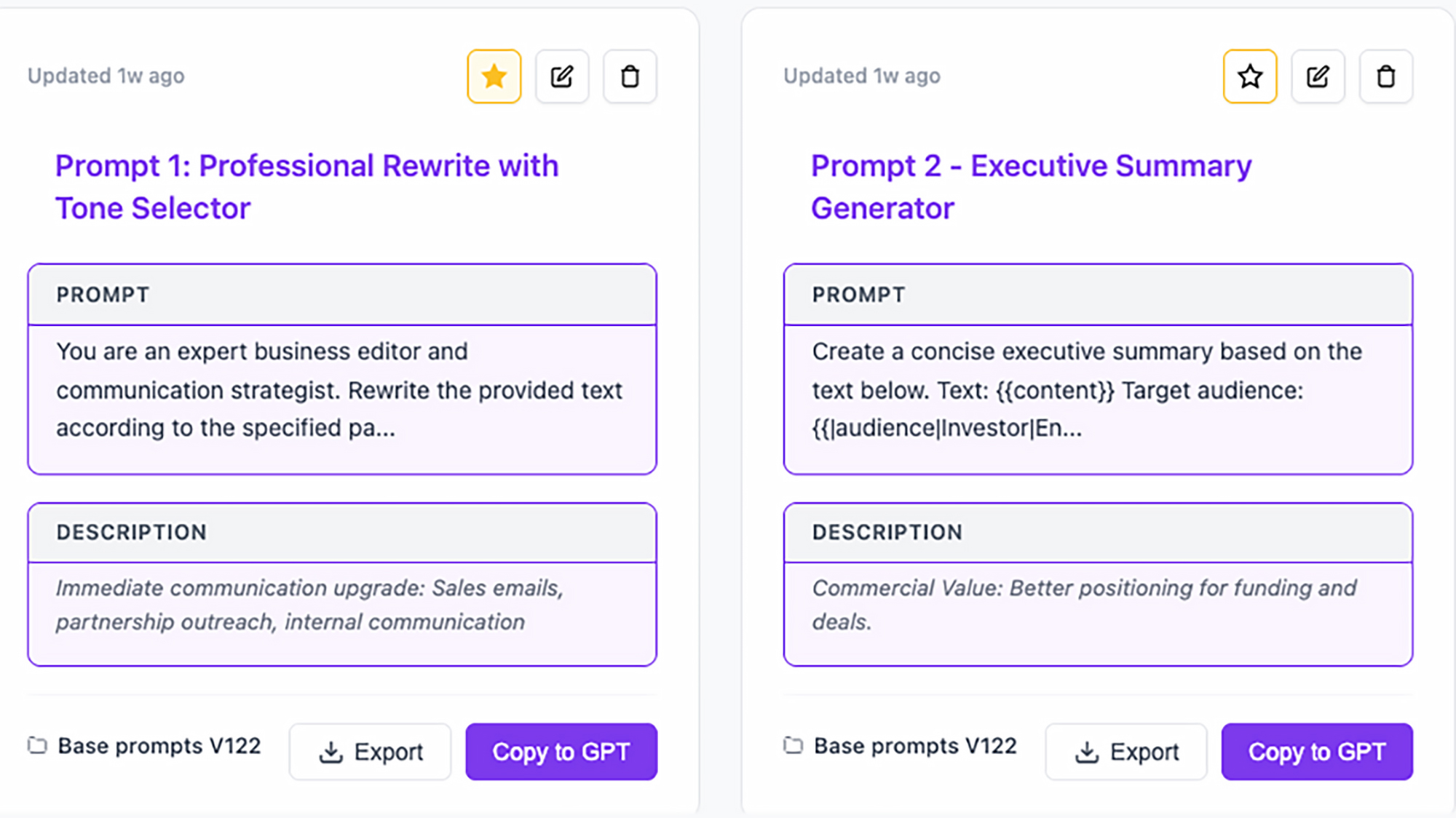
Stop rewriting prompts. Start reusing what works.
AI Productivity Suite helps you organize, find, and reuse your best prompts — so you get better results, faster.

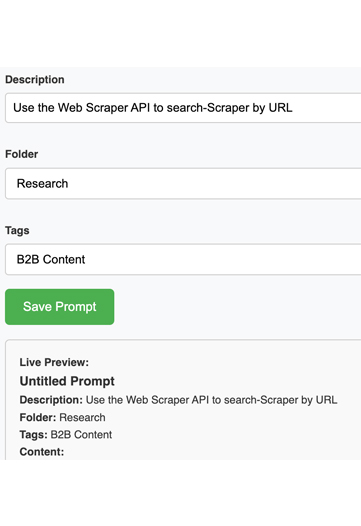
Never Lose a High-Performing Prompt
Stop losing high-performing prompts in chats and notes. Save them once and reuse them anytime.

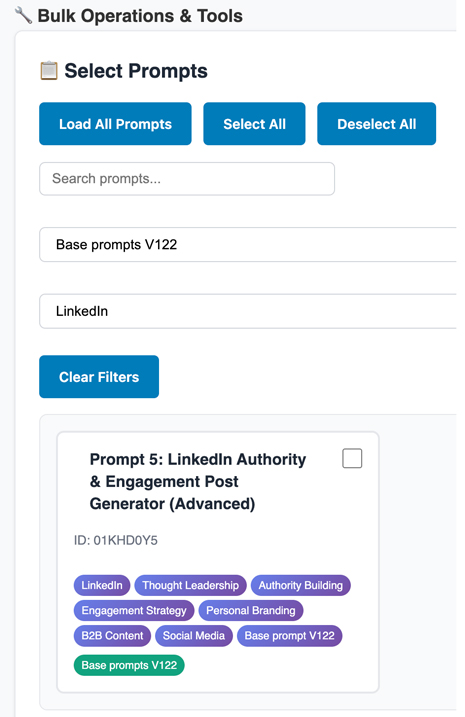
Find Any Prompt Instantly
Use tags and categories to instantly find the right prompt, even across multiple projects.

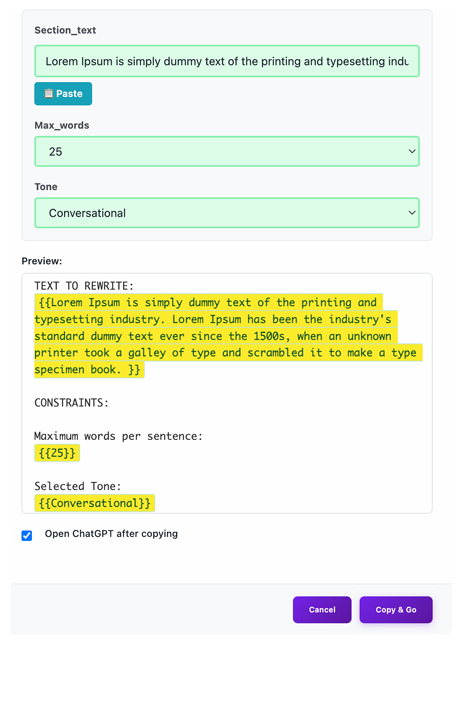
Use Anywhere, Instantly
Copy prompts directly into ChatGPT, Claude, or your favorite tools — no rewriting required.
Get Started in Under 2 Minutes
Install the extension, save your prompts, and reuse them instantly across your AI tools.
Install the Chrome Extension
Add AI Productivity Suite to your browser and start using it instantly.
Save and Organize Prompts
Create prompts, tag them, and organize everything in one place.

Reuse your Prompts Anywhere
Copy and use your prompts instantly in ChatGPT, Claude, or any AI tool.

AI Prompt Builder: From Idea to High-Quality Output, Instantly
Build powerful prompts with a simple visual AI prompt builder. No guesswork, no complexity, and no prompt engineering skills required.
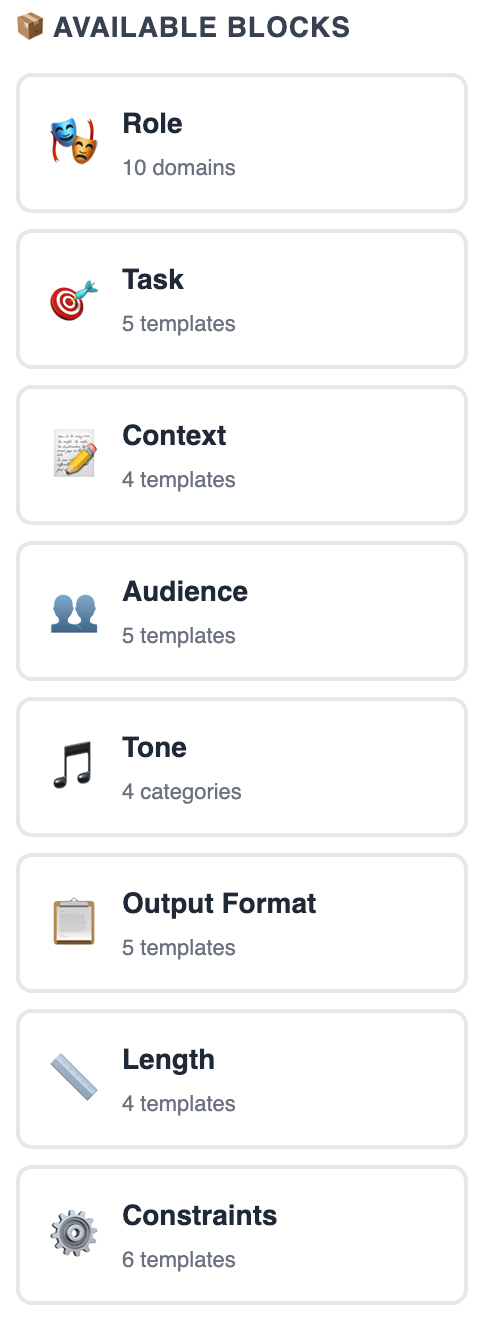
Pick Your Inputs
Start by choosing the building blocks for your prompt. You can combine multiple blocks to structure your prompt.
- Pre-built prompt components
- No writing from scratch
- Structured for better AI outputs
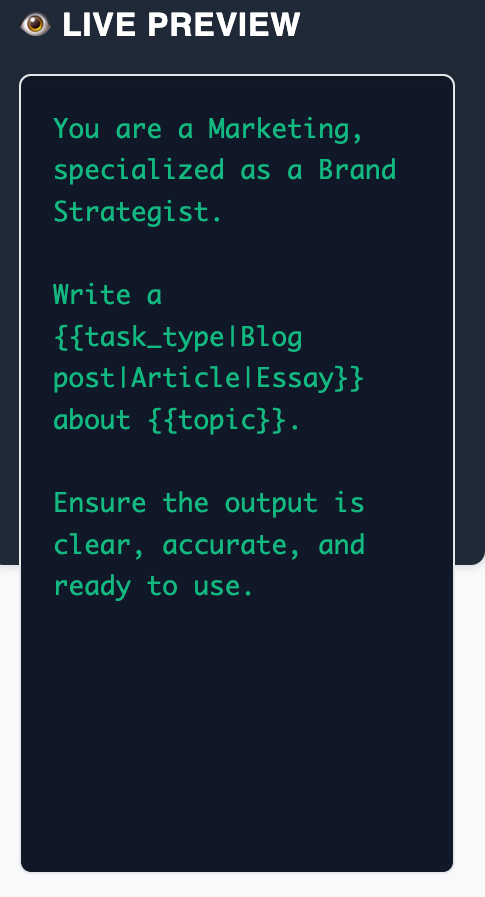
Preview and Refine Instantly
See your prompt take shape in real time. Refine it, then use it or save it to your library.
- Live preview panel
- Faster iteration
- Better, more predictable results
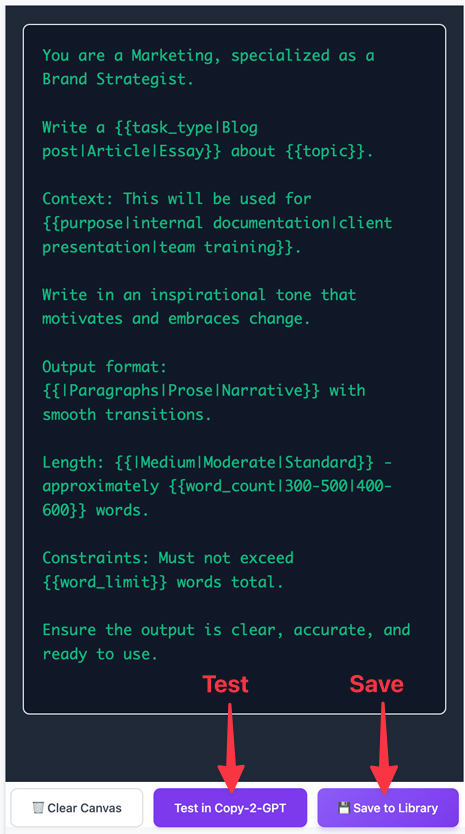
Systemize Your Prompt
Test your prompt, optimize the output, and save it to your Prompt Library for consistent, scalable results.
Run a live preview to verify output quality, then save it to your prompt library for repeatable results.
- Real-time validation
- Faster optimization
- Consistent performance